

A NEW WAY OF PAYMENT
STORE CREDIT
Store credit with House of Valerie offers a flexible and seamless way to shop, allowing you to redeem the value of eligible returns or Pre-Loved submissions against future purchases. Store credit is designed to keep your wardrobe evolving—allowing you to reinvest in pieces you love, season after season.
More Flexibility, More Choice
WHAT IS STORE CREDIT?
Store credit makes future shopping simple by keeping your available balance securely stored within your account, ready whenever you're ready to shop. It's easy to view, quick to apply at checkout, and gives you the flexibility to choose exactly what you want at a later date. Whether issued as part of a return, exchange, or goodwill gesture, store credit allows you to make the most of its value without the need for physical vouchers or promotional codes.

HOW TO VIEW YOUR STORE CREDIT BALANCE
Looking to check your store credit balance? Sign in to your customer account and view your profile and your balance will display under 'Payment Methods'. Your store credit is securely linked to your account, giving you instant access whenever you need it.
WHEN STORE CREDIT MAY BE ISSUED
PRE-LOVED SUBMISSIONS
When you submit approved pieces to our Pre-Loved in-house resale programme, you will receive immediate store credit for your pieces to spend on future purchases with us online or in-store.
RETURNS OUTSIDE OF REFUND POLICY
If a return arrives back with us outside of the returns window, we may issue store credit if the return is accepted at our discretion.
PROMOTIONAL OR GOODWILL GESTURES
Issued at the discretion of House of Valerie.
STEP-BY-STEP
HOW TO ACCESS STORE CREDIT
Follow our step-by-step guide to redeem your store credit at checkout on your next purchase. This process is consistent across all platforms and devices when shopping with House of Valerie.
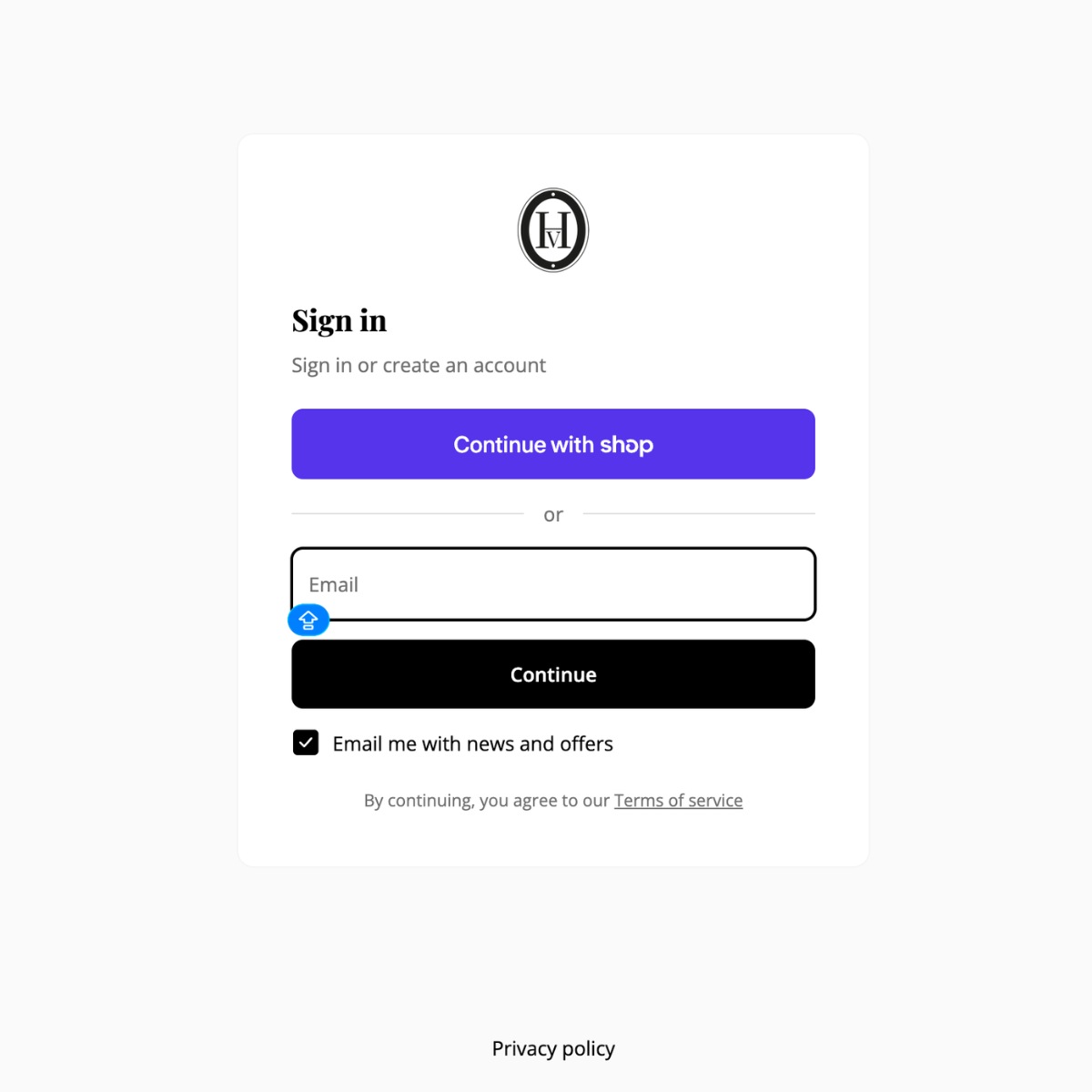
STEP ONE
ENSURE YOU'RE LOGGED IN
When accessing your store credit, please ensure you are logged into your customer account, as it will only be visible and available for use at checkout when signed in.
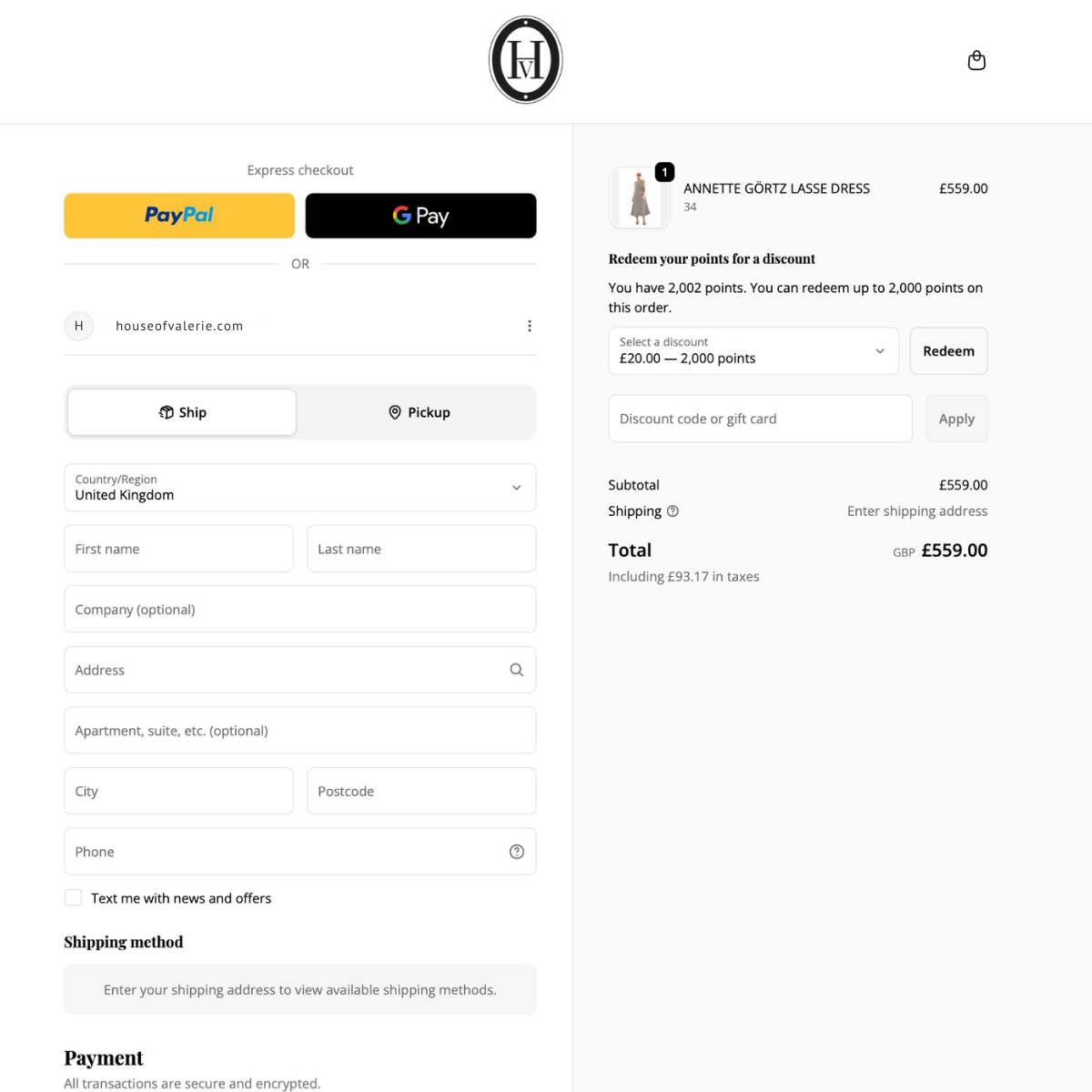
STEP TWO
GO TO CHECKOUT
Once logged into your account, proceed to checkout after adding your selected items to your bag, where your store credit will be available to apply to your purchase.
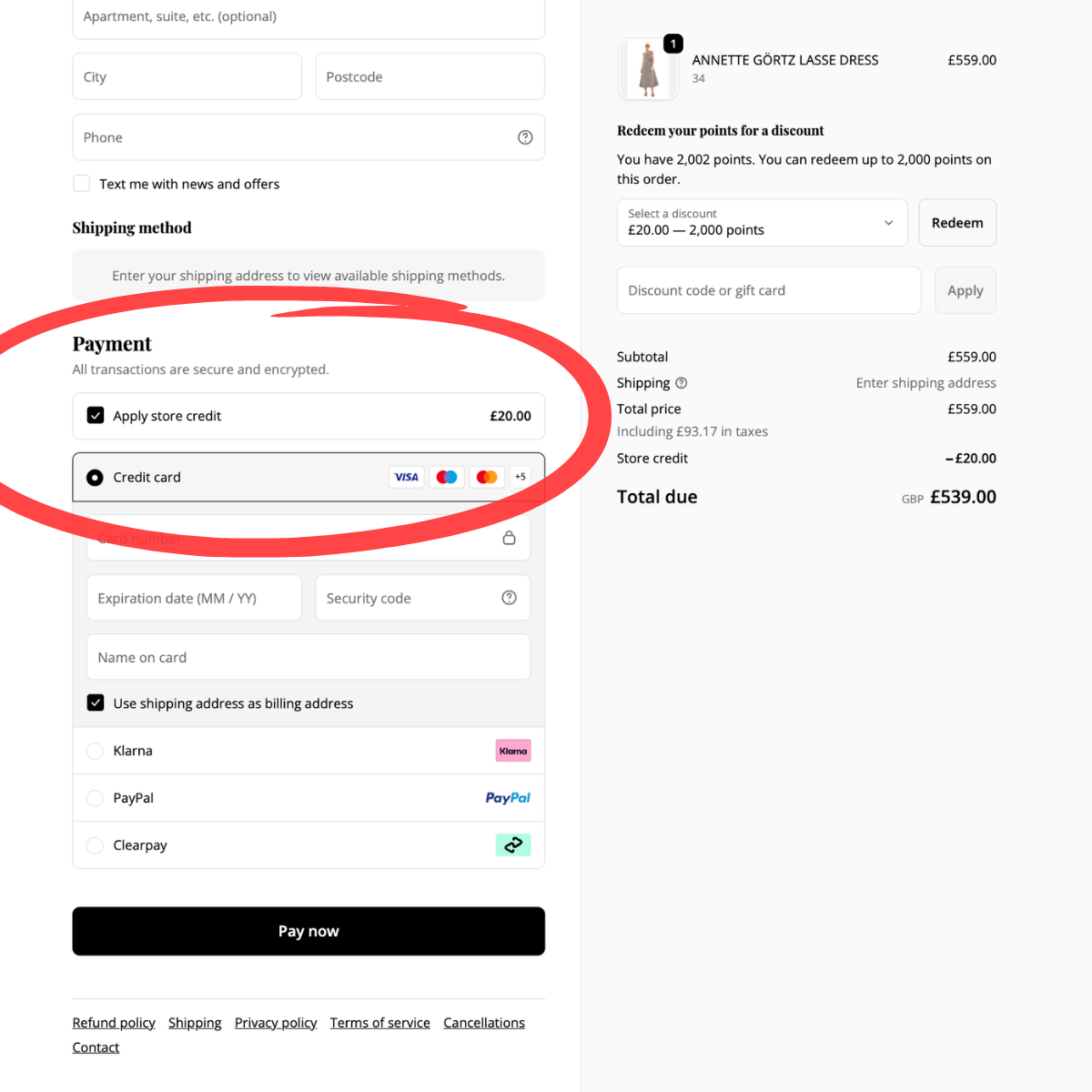
STEP THREE
SELECT YOUR STORE CREDIT
At the payment stage of checkout, you will have the option to apply your store credit by selecting the relevant box. This will be deducted from your order total, with any remaining balance charged to your chosen payment method.
NEED HELP?
FAQs
Store credit is only visible when you are logged into the account it was issued to. Please ensure you are signed in using the correct email address. If it still isn't showing up for you, please get in touch with us and we'll do our best to assist!
Store credit does not expire and remains available for use at any time.
You can view your available balance by logging into your customer account and going to your profile. This will list your total amount available.
No code is required. Your store credit will automatically appear as an option at checkout when you are logged into your customer account with us.
In most cases, store credit can be used in conjunction with promotional codes, unless otherwise stated.
Any eligible refund will be issued as store credit. Where a purchase was made using both store credit and another payment method, refunds will be applied to the Store Credit balance first.
Please contact our customer care team with your details and the items you're trying to purchase, and we will be happy to assist.